
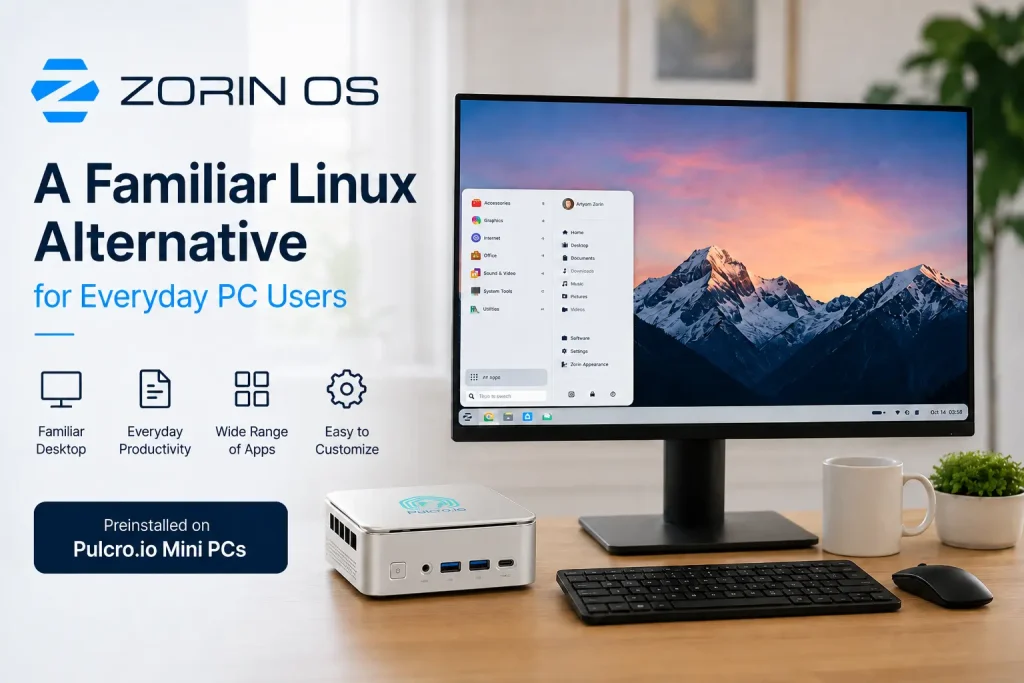
A familiar desktop, a modern Linux foundation, and an easy way to explore something different.
A Linux Desktop That Already Feels Familiar
The easiest way to understand Zorin OS is simply to look at the desktop. Although the operating system underneath is Linux, the basic interaction is intentionally familiar. Applications are available through a menu, frequently used programs and open windows appear along the taskbar, and system controls remain easily accessible.
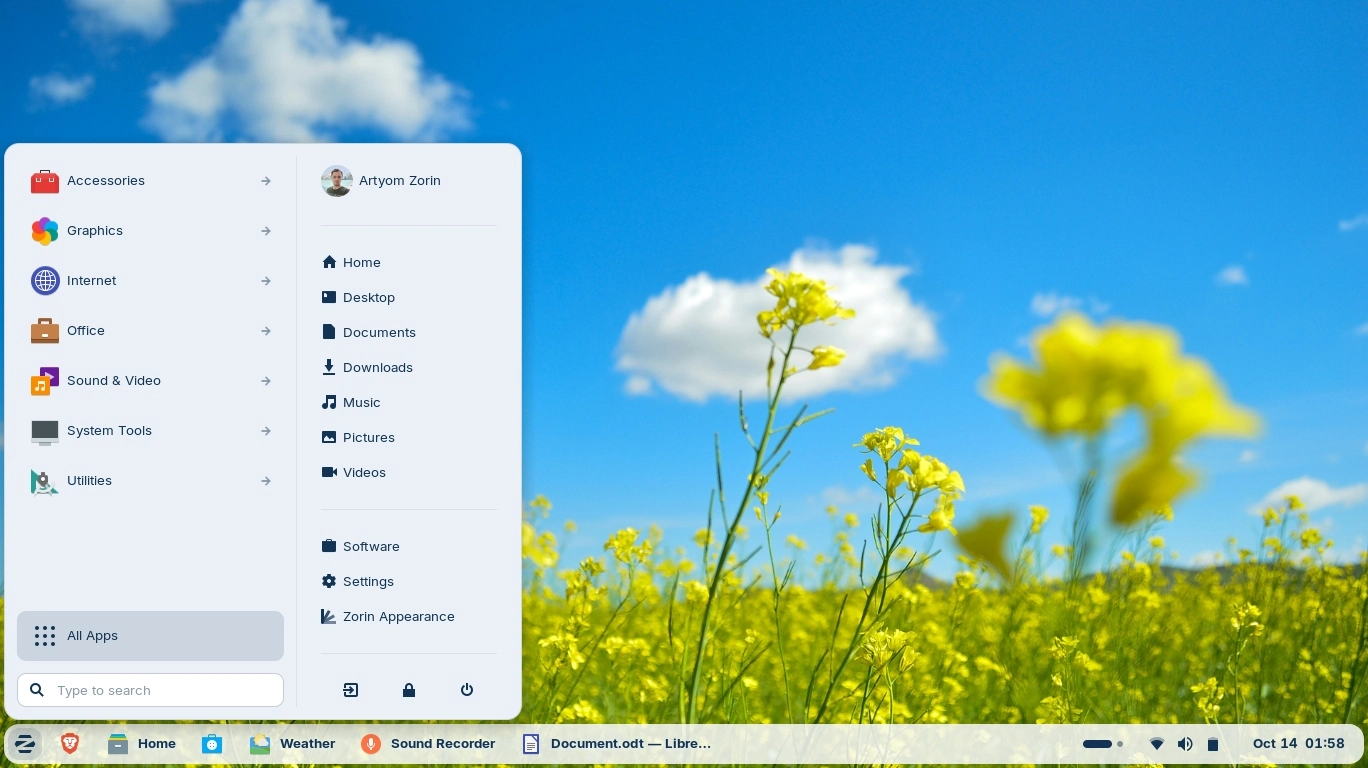
This may sound like a small detail, but familiarity is one of the biggest obstacles when changing operating systems. After years of using a computer, simple actions become instinctive. You know where to look for an application, where downloaded files are likely to appear and how to move between running programs without consciously thinking about it.
Zorin OS preserves many of those familiar ideas. Open the file manager and you will find recognizable locations for Documents, Downloads, Pictures, Music and Videos. Open Settings and you can manage displays, sound, networking, Bluetooth and other everyday options through a graphical interface. Applications behave like normal desktop applications with windows that can be moved, resized, minimized and arranged.
There is a terminal available as well, and it becomes a very powerful tool if you eventually want to explore Linux more deeply. The important point is that you do not need to begin there. For ordinary desktop use, Zorin OS can remain almost entirely graphical.
One Operating System, Different Ways to Use It
Zorin OS does not assume that every user wants the same desktop layout. Through Zorin Appearance, the desktop can be adjusted to better suit personal preferences and different ways of working.
Someone coming to Linux for the first time may prefer to begin with a conventional desktop layout because it immediately feels comfortable. Another user may prefer a more application-focused interface, while a touchscreen environment can benefit from larger targets and a different approach to navigating installed software.
The touch-oriented layout below illustrates just how different the same Zorin OS installation can look. Applications are presented in a large searchable grid, making them easy to browse and select while keeping the underlying operating system, files and applications unchanged.
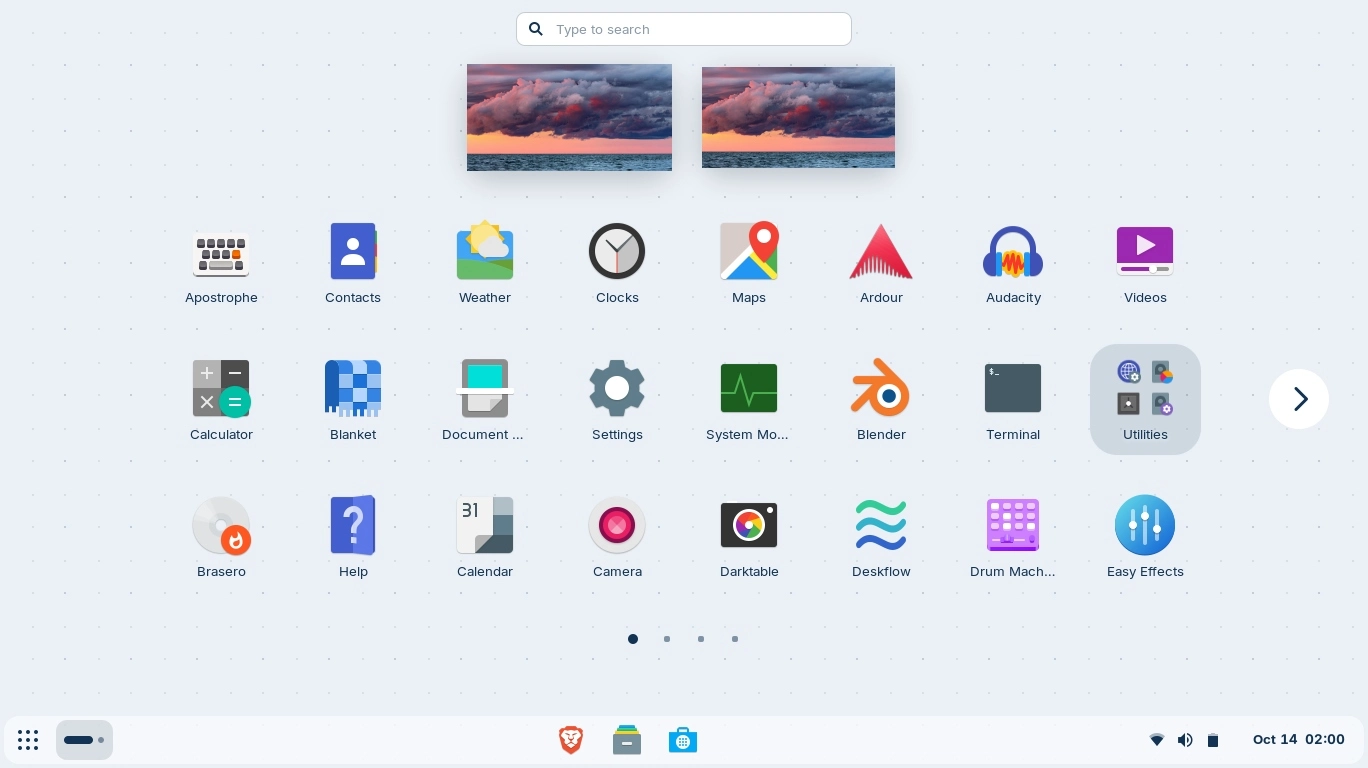
This is more than cosmetic customization. It means you can begin with an interface that matches your existing habits and then experiment as you become more comfortable. Changing the layout does not mean reinstalling the operating system or moving your files. It simply changes how the desktop presents itself to you.
Themes, light and dark appearances, interface behavior and other visual elements can also be adjusted. That flexibility is one of the more enjoyable parts of discovering Linux: the desktop does not have to remain exactly as it looked on the day you first turned on the computer.
What About the Things You Actually Use a Computer For?
A familiar desktop is useful, but the more important question is whether you can continue doing the things that brought you to the computer in the first place.
For most people, that means a fairly recognizable collection of tasks: browsing the web, checking email, writing documents, working with spreadsheets, creating presentations, managing photographs, joining video calls, watching media and occasionally installing something new.
Linux has mature applications for all of those uses. The names may sometimes be different, but the underlying tasks are very much the same.
| Everyday Task | Applications Available on Zorin OS |
|---|---|
| Write documents | LibreOffice Writer |
| Create spreadsheets | LibreOffice Calc |
| Build presentations | LibreOffice Impress |
| Browse the web | Firefox, Chromium and other browsers |
| Manage email | Thunderbird, Evolution and webmail |
| Play video and audio | VLC and other media players |
| Edit images and graphics | GIMP, Krita and other creative tools |
| Create 3D content | Blender |
| Record and edit audio | Audacity |
| Install additional software | Zorin Software |
| Lightweight gaming | Steam, Proton and native Linux games |
These applications should not necessarily be viewed as exact copies of software you may already know. They are alternatives with their own interfaces, strengths and workflows. For many everyday tasks, however, the transition is much smaller than the change of operating system might initially suggest.
Documents, Spreadsheets and Presentations With LibreOffice
Productivity software is understandably one of the first concerns for anyone considering another operating system. Most of us have accumulated years of documents, spreadsheets and presentations, and nobody wants to discover that moving to Linux also means starting over.
One of the most established productivity options on Linux is LibreOffice, an open-source suite that covers the familiar categories of word processing, spreadsheets and presentations.
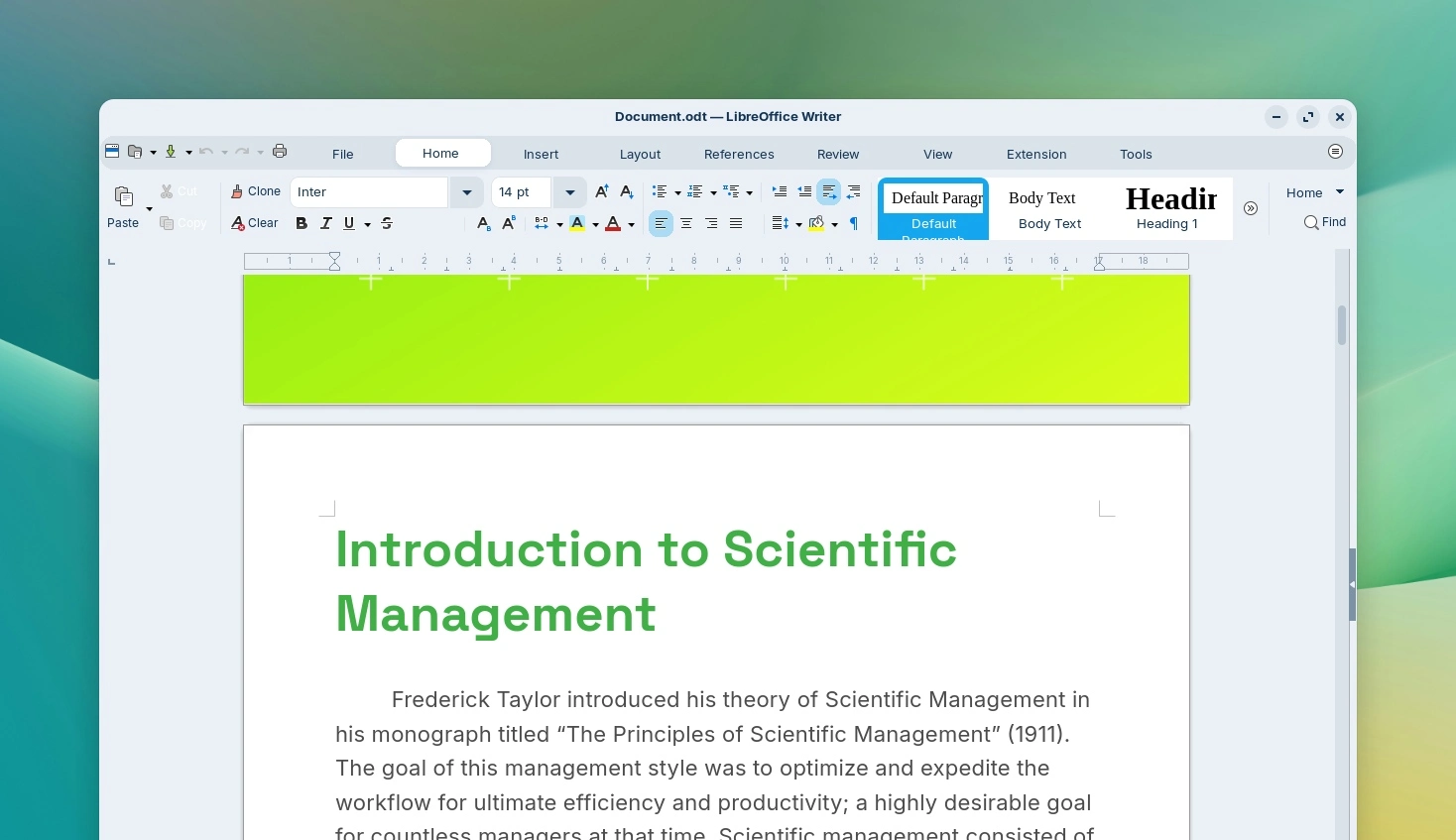
LibreOffice Writer handles documents, reports and letters. LibreOffice Calc provides rows, columns, worksheets, formulas and charts for spreadsheet work. LibreOffice Impress provides a familiar slide-based environment for presentations.
The applications have their own interface, but anyone who has worked with productivity software before will recognize the basic concepts. Fonts remain fonts, formulas remain formulas and presentation slides still contain text, images and layouts.
LibreOffice also supports many commonly encountered file formats, including .docx, .xlsx and .pptx, as well as older formats and its own OpenDocument standards. Documents can also be exported to PDF.
There are sensible limitations. Complicated documents containing macros, unusual fonts, specialized formatting or advanced proprietary features should always be tested before moving an important workflow. For typical letters, reports, schoolwork, household spreadsheets and everyday small-business documents, however, LibreOffice can make the transition considerably more straightforward.
Linux Has a Much Larger Software Ecosystem Than You May Expect
Another perception that has followed Linux for years is that there simply are not enough applications. That may have been easier to argue decades ago, but it bears little resemblance to the modern Linux desktop.
Today, Linux software covers an enormous range of categories including productivity, graphics, photography, audio production, video, development, communications, networking, scientific applications, utilities and system management.
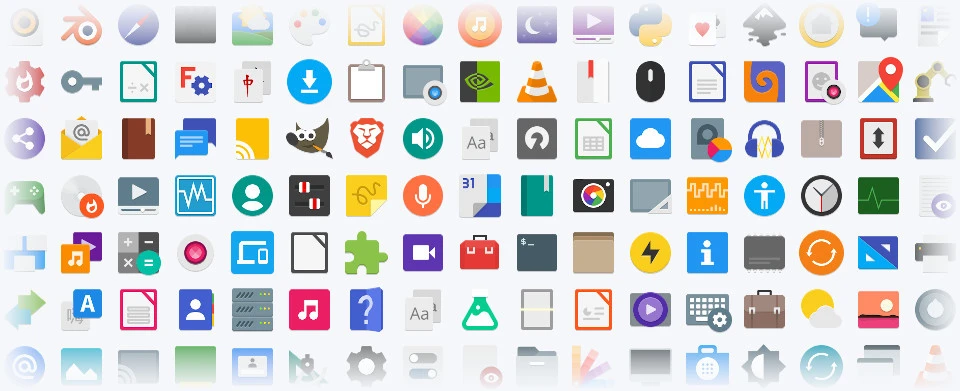
Some applications will already be familiar because they are available across multiple operating systems. Others may be completely new. GIMP and Krita cover image and creative work, VLC handles a huge variety of media formats, Blender provides professional 3D creation tools and Audacity handles audio recording and editing. Developers will find an especially broad choice of editors, programming languages, frameworks, databases and development utilities.
Zorin OS also includes a graphical Software application for discovering and installing additional programs. You can search for an application, review the available result and install it without needing to memorize commands or understand Linux package management first.
That distinction is important for someone exploring Linux for the first time. The more technical tools remain available when you want them, but they do not need to stand between you and simply using the computer.
The Modern Web Has Made Changing Operating Systems Easier
There is another reason experimenting with a different desktop operating system is easier today: a remarkable amount of computing has moved into the web browser.
Email, banking, shopping, accounting, cloud storage, streaming, project management, social media, education, customer portals and video conferencing are increasingly delivered as web applications. For many of those services, the operating system running underneath the browser makes very little practical difference.
If much of your normal day already happens inside a browser, the transition to Zorin OS may therefore be smaller than expected. Open your browser, sign into the services you already use and much of your online environment simply follows you.
This also changes the way it makes sense to evaluate Linux. Rather than asking whether every individual application you have ever used has an identical Linux counterpart, it is often more useful to ask a simpler question: can I comfortably accomplish the things I actually need my computer to do?
What If There Is One Application You Still Need?
This is where any discussion about changing operating systems should remain realistic. Not every traditional desktop application has a native Linux version, and some specialized software remains closely tied to a particular platform or proprietary hardware.
If you are considering Zorin OS as your primary desktop, it is worth making a short list of the applications that are genuinely essential to you. Some may already have native Linux versions. Others may offer browser-based versions. In many cases, a different Linux application may accomplish the same task.
Zorin OS can also use compatibility technologies that allow some applications distributed in .exe and .msi formats to run under Linux. This can be useful, but it should not be viewed as a guarantee that every traditional application will behave perfectly.
Highly specialized applications, proprietary hardware-management utilities, complicated plug-ins and software that depends on unusual drivers should always be checked individually.
For someone who is simply curious about Linux, none of this needs to turn the experience into an all-or-nothing decision. Zorin OS can be a primary computer, but it can just as easily become a second desktop, home-office PC, development machine or simply another system used alongside the computers you already have.
There Is Room for Lightweight Gaming Too
Gaming is another area where Linux has evolved considerably. Steam is available on Linux, and compatibility technology such as Proton has expanded the number of titles that can run even when they were not originally created specifically for Linux.
On a Pulcro.io Mini PC powered by the AMD Ryzen R2314, expectations should remain appropriate for the hardware. This is a compact general-purpose platform rather than a system built around a high-end discrete graphics card.
That still leaves a useful range of possibilities. Indie titles, classic games, emulation, 2D games, older 3D titles and less graphically demanding releases can all make sense on this class of hardware. Actual performance will naturally depend on the individual game, resolution, graphics settings and compatibility.
The point is not to turn an R2314 Mini PC into a dedicated gaming workstation. It is simply that gaming can be another part of a well-rounded everyday Linux desktop rather than something that automatically disappears when you choose Zorin OS.
And Then There Is Everything Underneath the Desktop
Someone can use Zorin OS for years as a straightforward graphical desktop without ever needing to go much deeper. For many users, that may be exactly what they want.
For others, the approachable desktop becomes an introduction to what makes Linux particularly interesting. Development tools, scripting, Python, SSH, containers, networking utilities and open-source server software are all readily available. A simple desktop computer can gradually become a development system, a Linux learning platform or part of a home lab.
This is one of the qualities we like about Zorin OS. It does not remove the depth of Linux in order to be approachable. It simply allows you to decide when you want to explore that depth.
More Choice Over How Your Computer Works
Greater control over the computing environment is another reason people become interested in Linux. Zorin OS gives users considerable freedom over which applications they install, which online services they use and how the desktop itself is configured.
That does not mean you need to abandon cloud storage, browser-based email or the other online services that are already part of your life. Most continue to work normally. The difference is that you have more choice over how those pieces fit together and how much of your desktop environment you want to customize.
Someone looking for a simple everyday PC can largely ignore that flexibility and simply use the system. Someone who enjoys experimenting can take the exact same installation considerably further.
Why Pulcro.io Offers Zorin OS Preinstalled
There is a small contradiction in telling someone that Linux has become easier to use and then making their first experience an operating-system installation.
A traditional installation generally involves downloading an image, creating bootable media, starting the computer from that media, selecting the correct storage device and working through the installation process. None of this is especially difficult once you have done it before, but it can create an unnecessary hurdle for someone who simply wants to discover whether Linux is right for them.
For supported Pulcro.io Mini PC configurations, Zorin OS Core can now be selected as the preinstalled operating system. We install and prepare Zorin OS before the system leaves us, so you do not need to begin by creating installation media or partitioning a drive.
At the same time, we preserve the personal first-time setup experience. We do not expect you to inherit a generic permanent user account created during preparation. When the Mini PC is first turned on, Zorin guides you through the initial setup so you can create your own user account, password, computer name, language, keyboard layout and regional preferences.
It combines the convenience of a preinstalled operating system with the experience of setting up a new computer as your own from the beginning.
You Do Not Have to “Switch to Linux” to Explore Linux
Perhaps the easiest way to approach Zorin OS is not to think about switching at all.
Trying another operating system does not require a permanent commitment. A Zorin-powered Mini PC can become your everyday desktop, but it can also serve as a secondary computer, a family PC, a development system, a home-lab workstation or simply a machine that lets you explore something different.
Use it for normal tasks. Open your documents. Browse the web. Install a few applications. Change the desktop layout. Try LibreOffice. Explore some open-source software and see how naturally the system fits into your routine.
If it eventually becomes the computer you reach for every day, excellent. If it remains a useful second computer that gives you access to another ecosystem, that is perfectly reasonable too.
The important point is that discovering Linux no longer needs to begin with a technical exercise or a major commitment.
A Comfortable Way to Discover Linux
There are many Linux distributions, each designed around different priorities. What makes Zorin OS particularly appealing to everyday PC users is its willingness to begin somewhere familiar.
The desktop is easy to recognize, yet flexible enough to take on a very different appearance. LibreOffice provides a capable productivity environment, while the wider Linux ecosystem offers software for creativity, media, development, communication and much more. Graphical software installation keeps the initial experience approachable, while the full power of Linux remains available underneath.
For someone who has wondered what Linux is actually like to live with, Zorin OS provides an unusually comfortable place to find out. You can begin by simply using it as a normal computer and decide for yourself how much further you want to explore.
Explore Zorin OS on a Pulcro.io Mini PC
Zorin OS Core is now available as a preinstalled operating system option on supported Pulcro.io Mini PC configurations. Select Zorin OS with your system and we will prepare the operating system before shipment while leaving the personal first-time setup to you.
A familiar desktop. A modern Linux foundation. And an easier way to explore something different.
Frequently Asked Questions About Zorin OS
Is Zorin OS suitable for someone who has never used Linux?
Yes. Zorin OS uses a graphical desktop with many familiar PC conventions, making it an approachable place to begin for users with little or no previous Linux experience.
Do I need to know Linux commands to use Zorin OS?
No. File management, networking, settings, software installation, web browsing and most everyday desktop tasks can be handled graphically. The terminal remains available when you want to explore more advanced capabilities.
What is Zorin OS Core?
Zorin OS Core is the standard edition of Zorin OS. It provides the primary Zorin desktop experience, customization tools and access to the broader Ubuntu and Linux software ecosystem.
Can Zorin OS open common document formats?
Yes. LibreOffice supports many commonly used document, spreadsheet and presentation formats, including .docx, .xlsx and .pptx. Complex documents, macros and specialized formatting should be tested for compatibility.
Can I install additional applications on Zorin OS?
Yes. Zorin OS includes a graphical Software application that makes it possible to search for and install additional software without relying on the command line.
Can traditional PC applications run on Zorin OS?
Many applications have native Linux versions or browser-based alternatives. Compatibility technologies can also run some applications distributed in traditional desktop installer formats. Compatibility varies, so important applications should be checked individually.
Can I play games on Zorin OS?
Yes. Native Linux games are available, and platforms such as Steam together with technologies such as Proton can support many additional titles. Actual performance depends on the individual game and computer hardware.
Is the AMD Ryzen R2314 suitable for Zorin OS?
Yes. The AMD Ryzen R2314 is well suited to general desktop computing, web applications, productivity, media, development, learning and lightweight gaming.
Can I buy a Pulcro.io Mini PC with Zorin OS already installed?
Yes. Zorin OS Core is available as a preinstalled operating-system option on supported Pulcro.io Mini PCs. We prepare the operating system before shipment, while the owner completes the personal account and configuration during first-time setup.